Direct Mobile Printing and PDF Conversion with Enhanced Readability
With today’s technology, direct printing from mobile devices has become highly convenient for construction personnel. Users no longer need to rely on laptops or desktops to print drawings; instead, they can print CAD drawings directly from their mobile devices, saving time and effort.
However, designers sometimes sketch drawings with lines that are too fine, making them difficult to read with the naked eye. To solve this problem, CAD Reader provides a feature that allows users to increase line weight during printing or when converting CAD drawings into PDF, ensuring better visual clarity and readability for all construction stakeholders.
Step-by-Step Guide:
- Launch the drawing in the CAD Reader application.
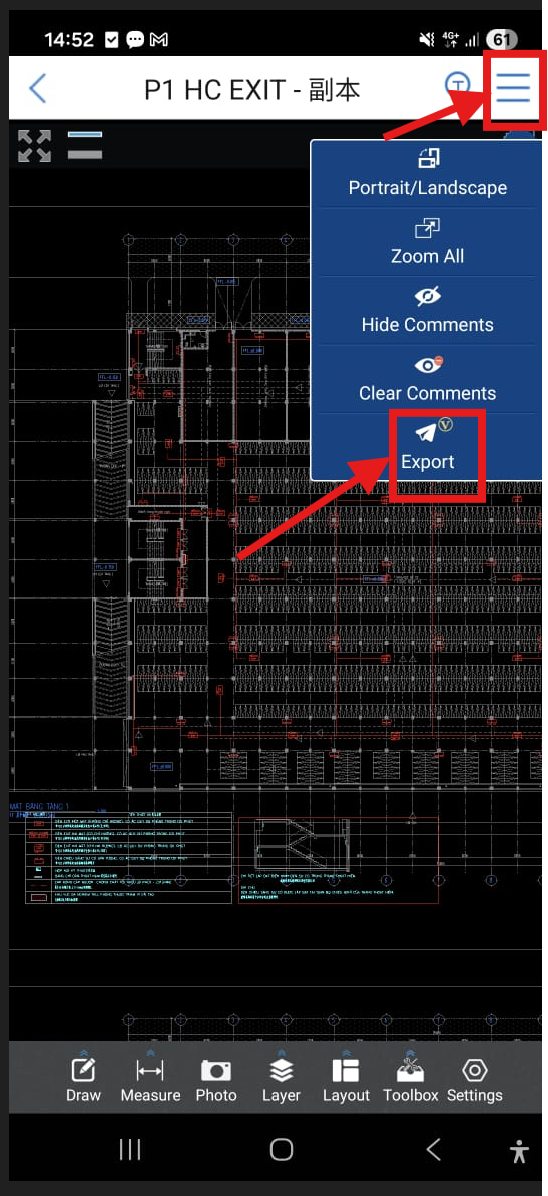
- Go to the top‑right corner and select the Export tool from the drop‑down menu.
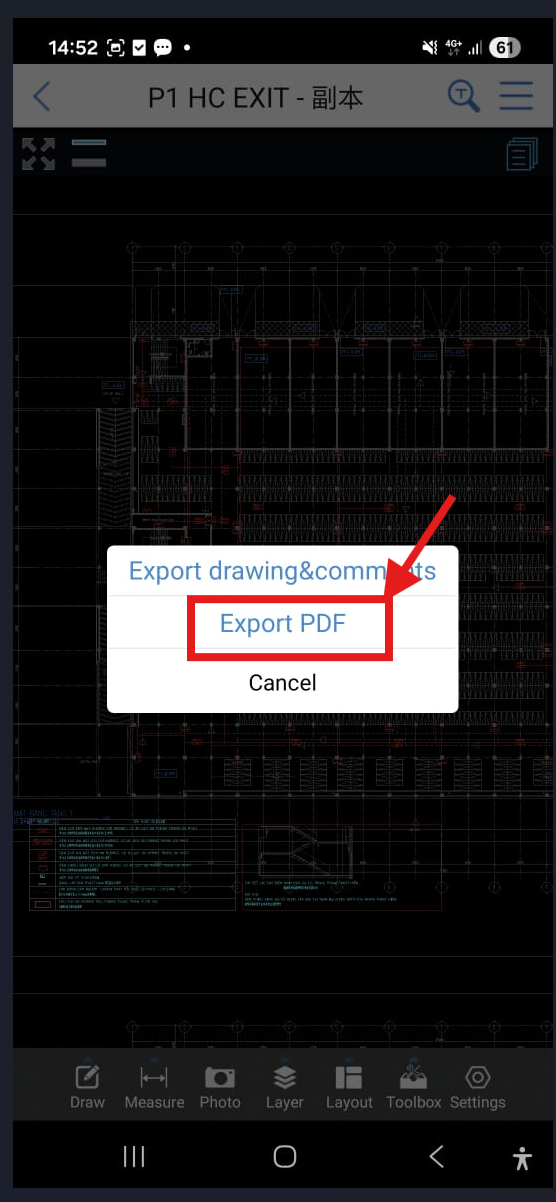
- Choose Export PDF from the pop‑out window.
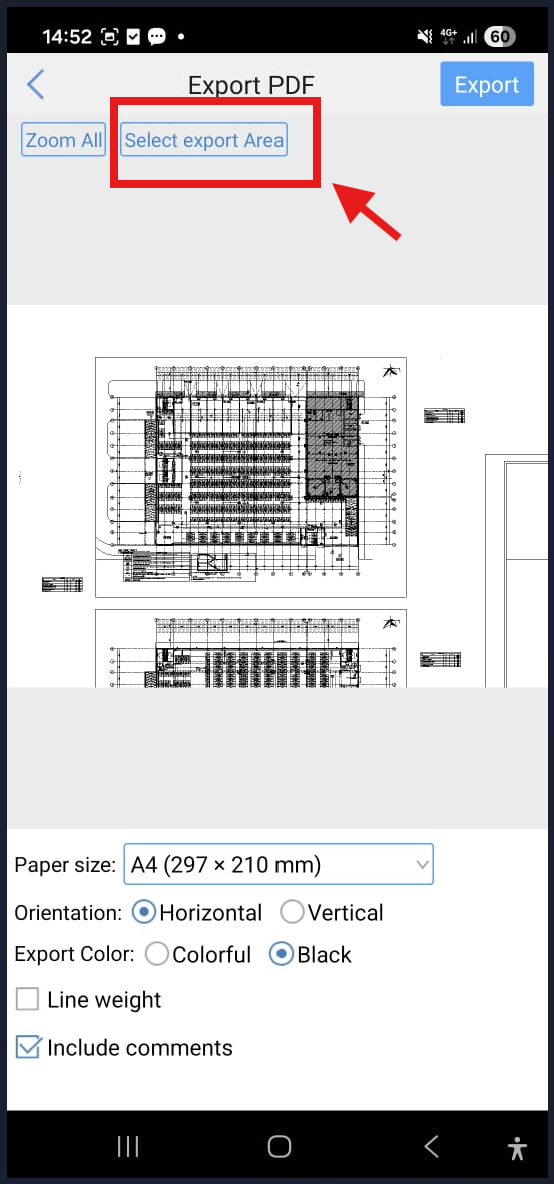
- Click “Select export area” and drag a box around the drawing border.
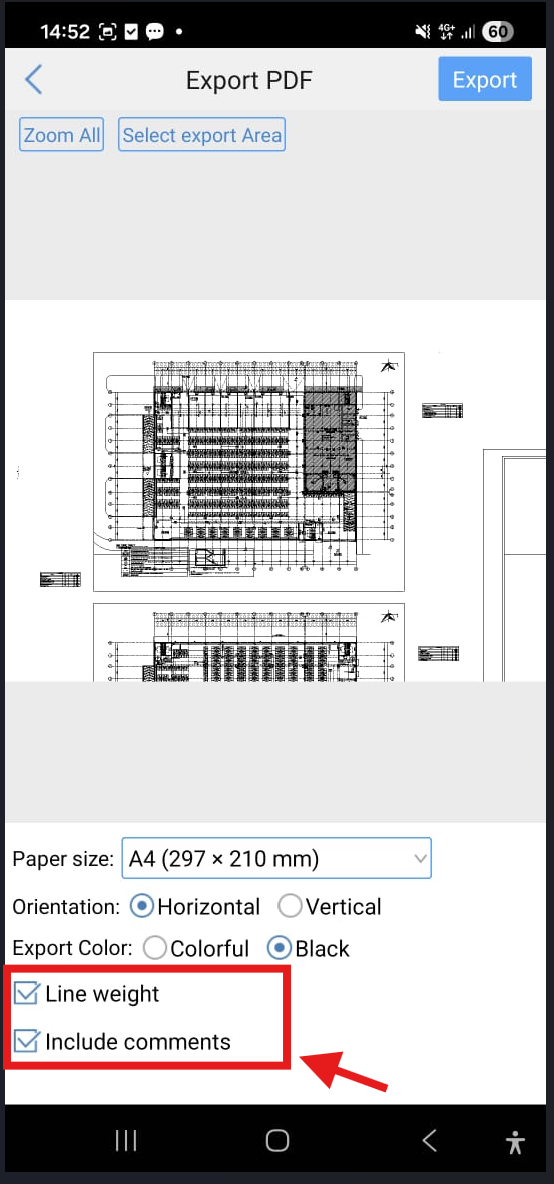
- Configure the paper size, orientation, and adjust your preferred color settings.
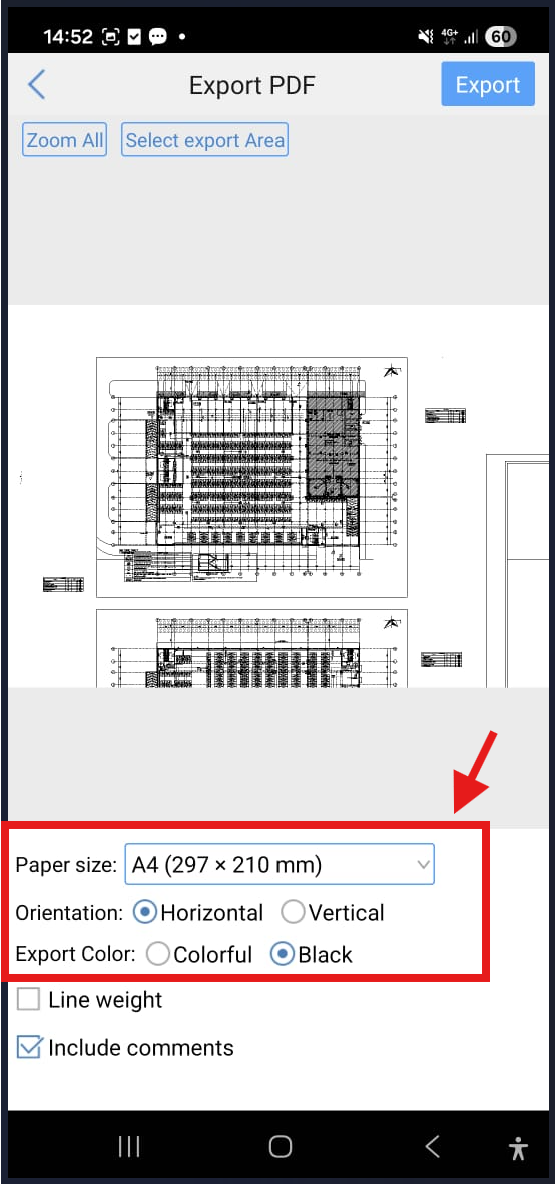
- Tick the line weight option to bold lines and decide whether to include comments.
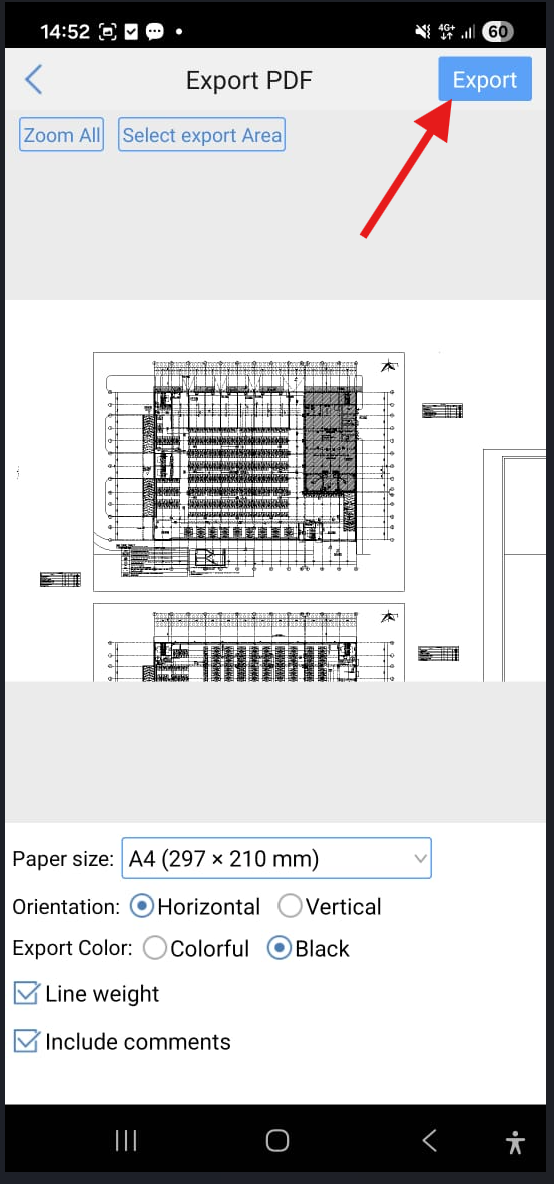
- Click “Export” and confirm with “Ok” to complete the process.
Comparison Between Exporting with Line Weight Enabled vs. Disabled:
With Line Weight Tick:

Without Line Weight Tick:



