How to Batch Copy, Move, and Modify Comments?
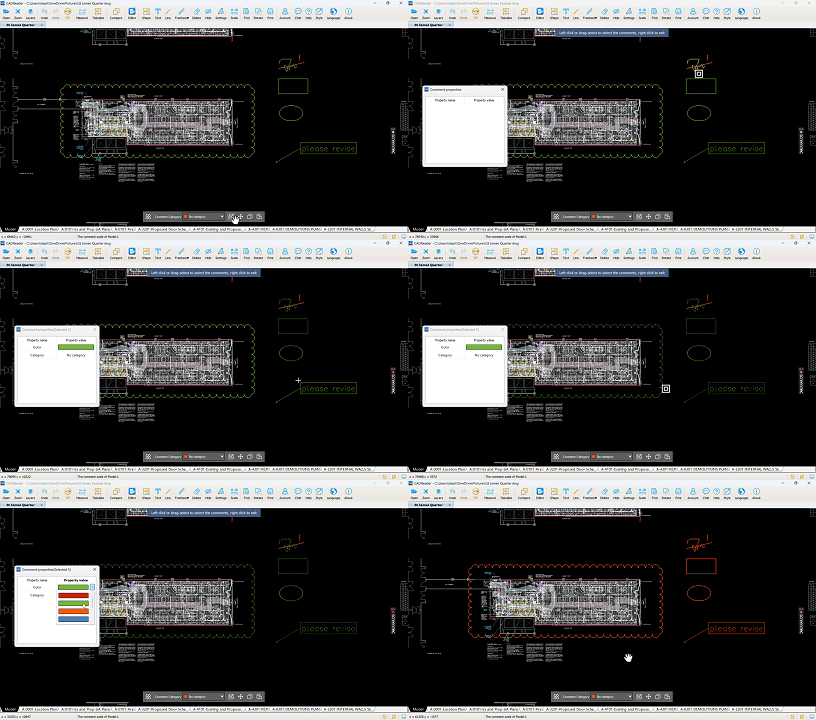
Batch Modify Comment Properties
- Click “Select one or more comments to modify properties” on the bottom toolbar.
- Left‑click to select all comments you want to modify.
- In the Comment Properties window, adjust settings such as color or category.
Batch Move Comments
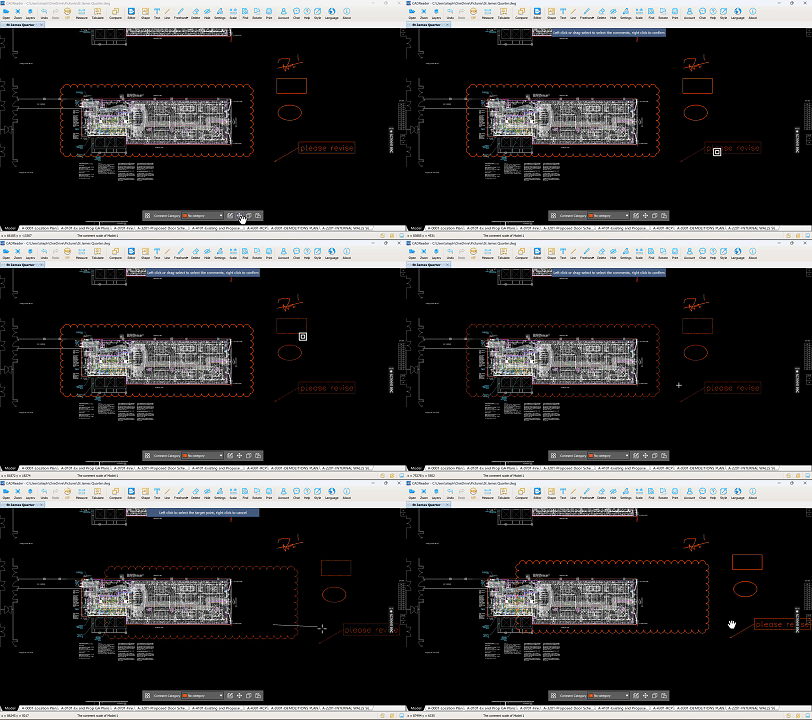
- Click “Move Comment”.
- Left‑click to select all comments you want to move.
- Right‑click to confirm your selection.
- Left‑click again to set the reference point.
- Drag the cursor to the new location.
- Left‑click to confirm the move.
Batch Copy and Paste Comments
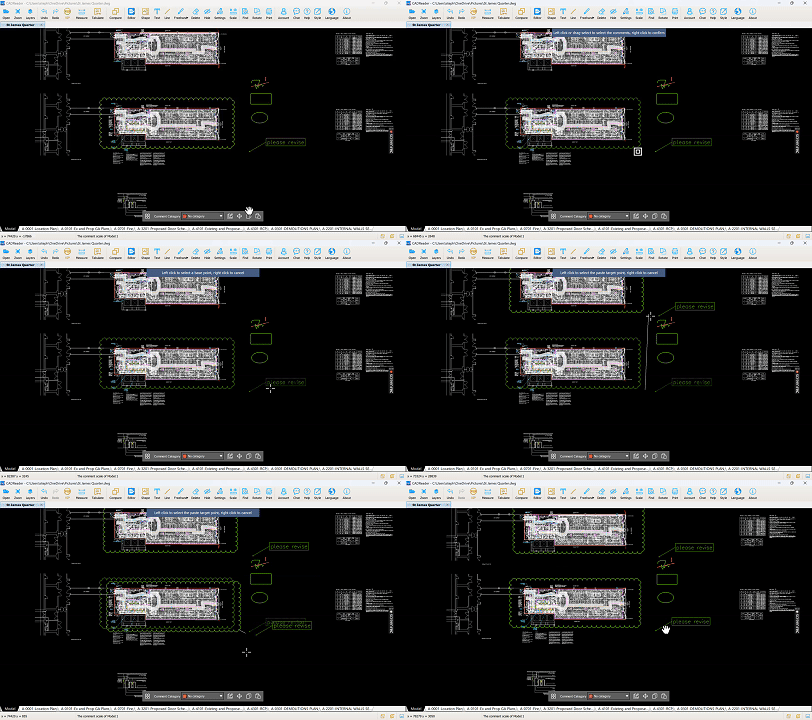
- Click “Copy Comment”.
- Left‑click to select all comments you want to copy.
- Right‑click to confirm your selection.
- Left‑click again to set the reference point.
- Drag the cursor to the desired location on the drawing.
- Left‑click to confirm the paste.

0 answers

