How to Convert an Image into a PDF?
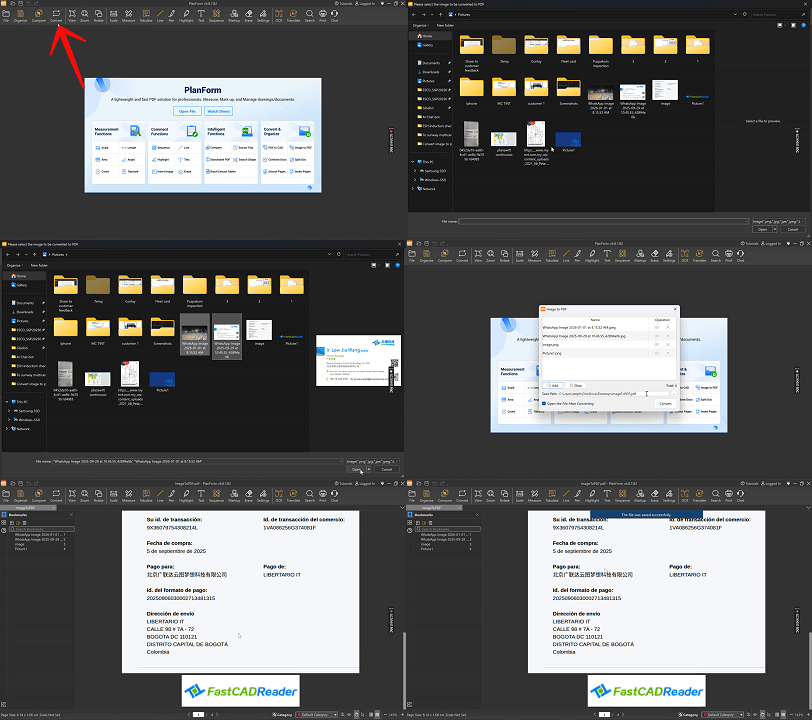
1. Launch Planform on your device.
2. Click on the “Convert” feature in the toolbar.
3. From the drop-down menu, select “Image to PDF.”
4. Add your image file:
- Drag the file into the pop-up window, or
- Click the “Add” button to browse and insert the image.
5. Click “Convert” to start the process.
6. Once complete, save the output:
- You can save each image as an individual PDF file.
Animated Demonstration:

0 answers

