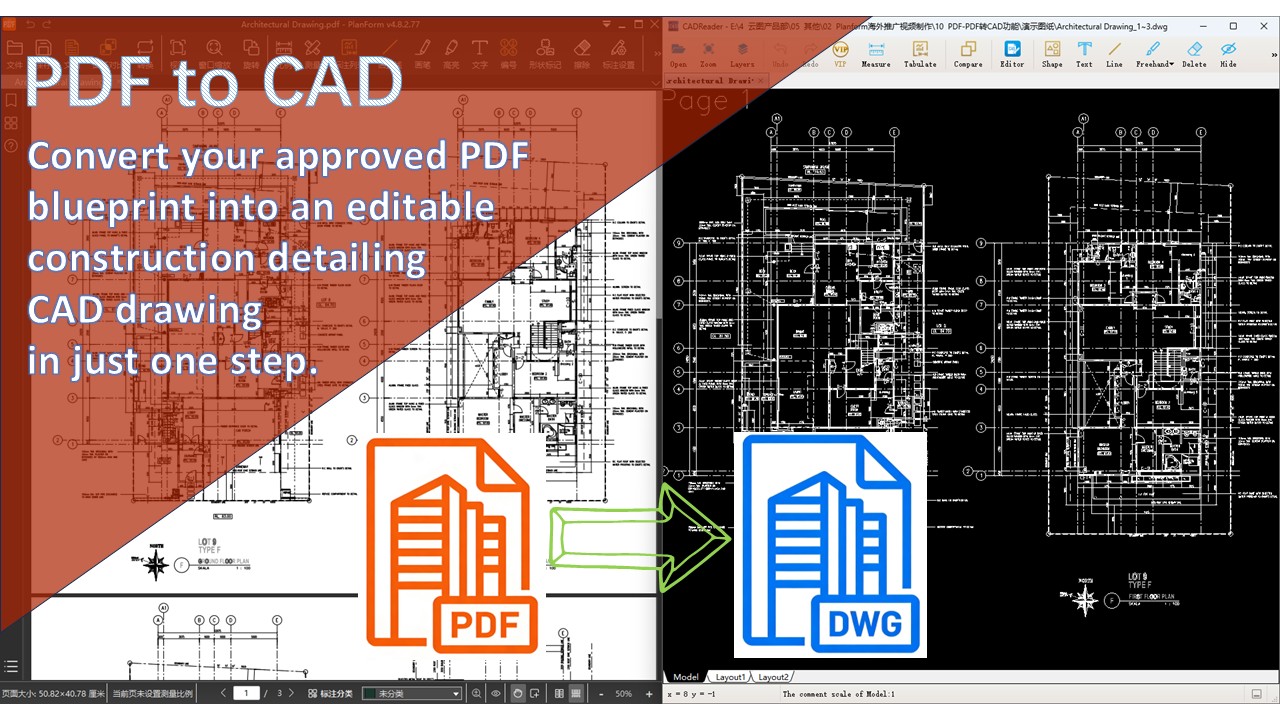
Convert your approved PDF file into an editable construction detailing CAD drawing
In the construction process, receiving the approved PDF drawings is just the beginning. The general contractor and all specialized subcontracting teams need to perform detailed construction design or make modifications and adjustments based on these drawings. However, approved drawings are typically non-editable PDFs. This is exactly the problem that PlanForm's PDF to CAD feature solves.
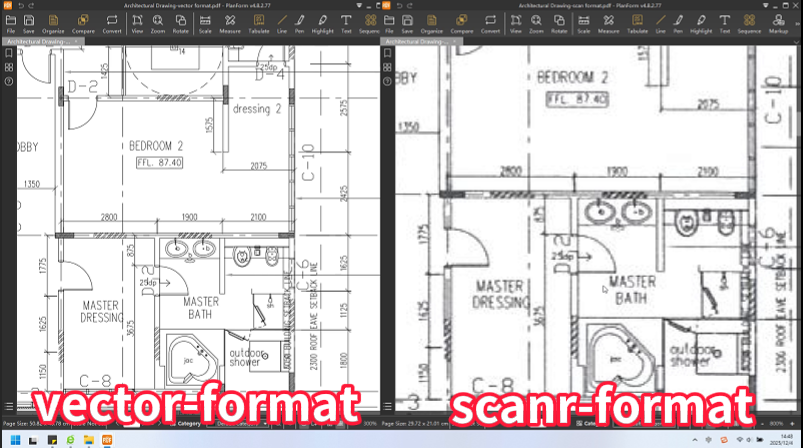
To achieve the best conversion results, it's crucial to note: using vector-format PDFs (those generated directly from CAD software) ensures nearly lossless conversion. Let's take an architectural floor plan as an example:
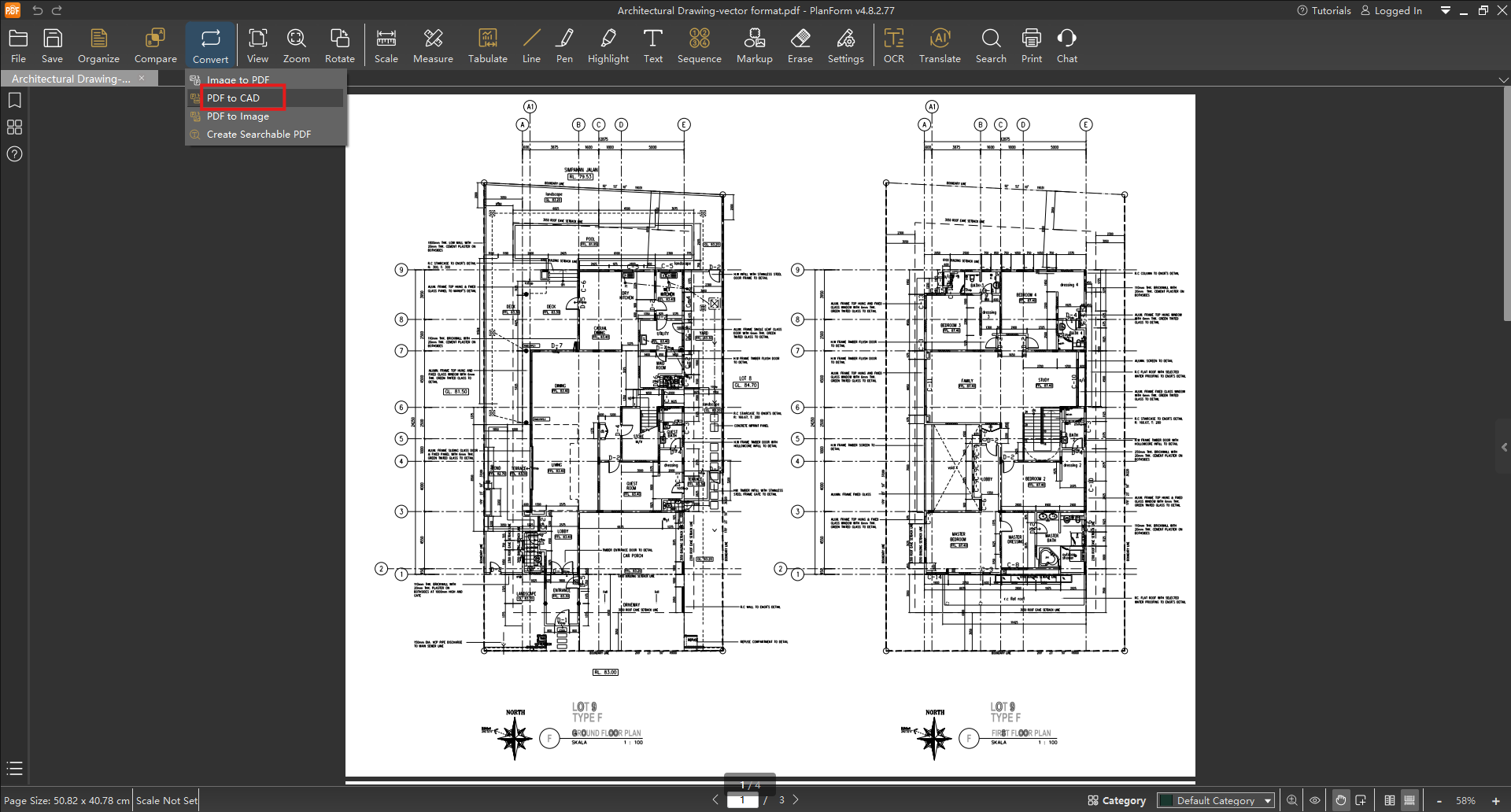
Open PlanForm and initiate conversion. Click the top menu【Convert】function and select "PDF to CAD".
Import your PDF. Click【Add】to import the PDF blueprint you need to convert.
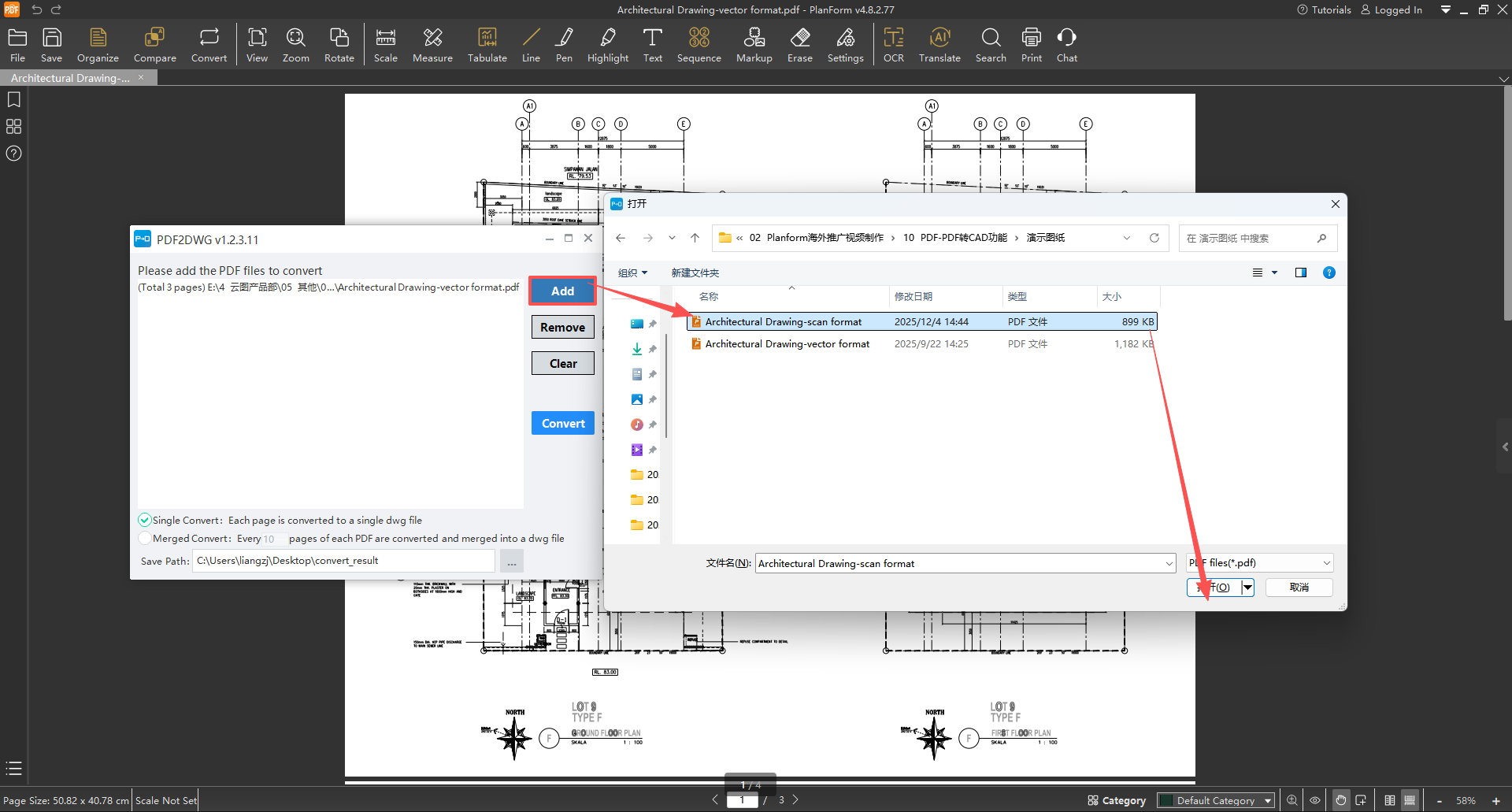
Choose the key conversion mode:
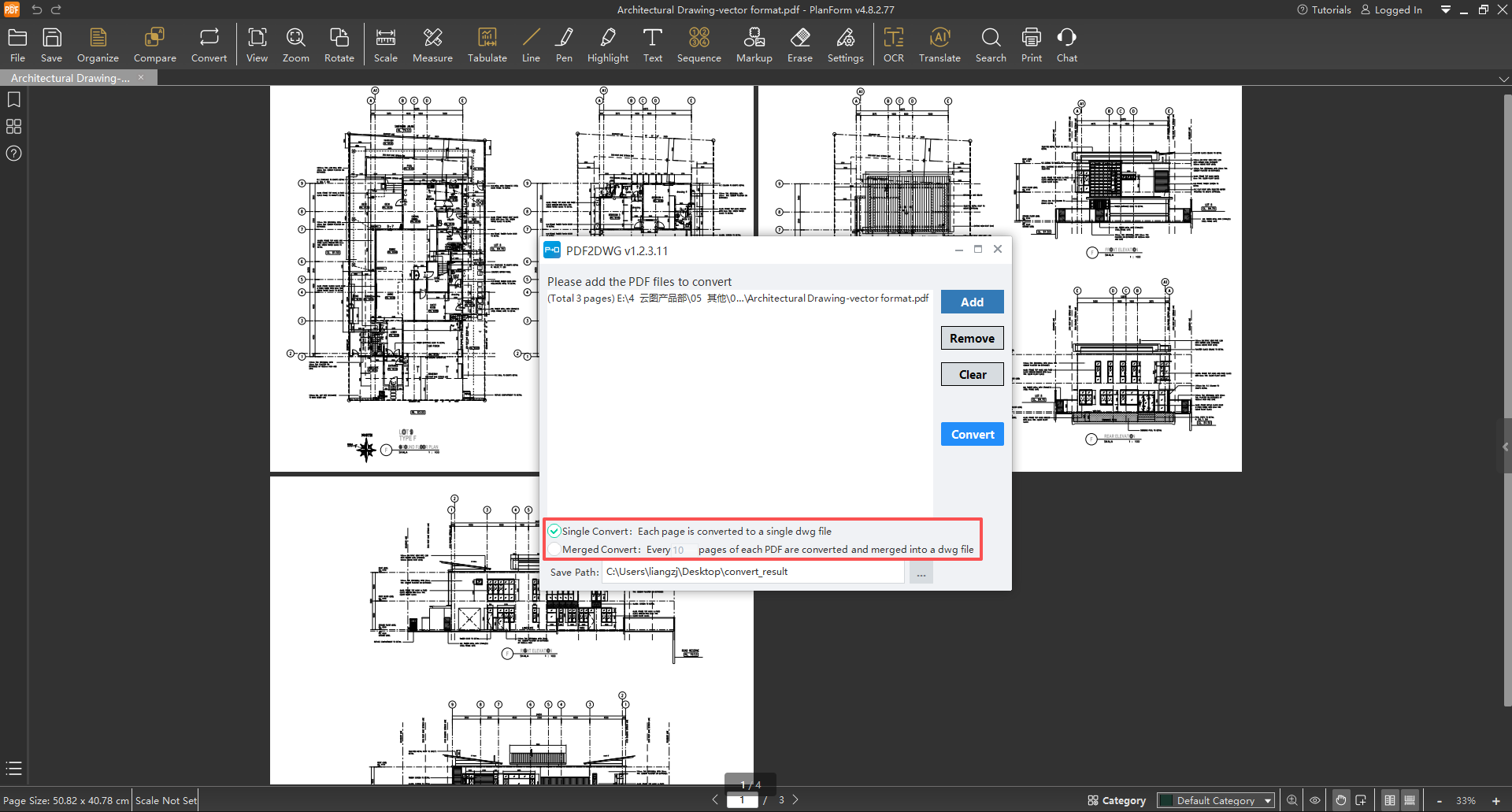
【Single Page】: Converts each PDF page into a separate DWG file, ideal for detailed, discipline-specific modifications.
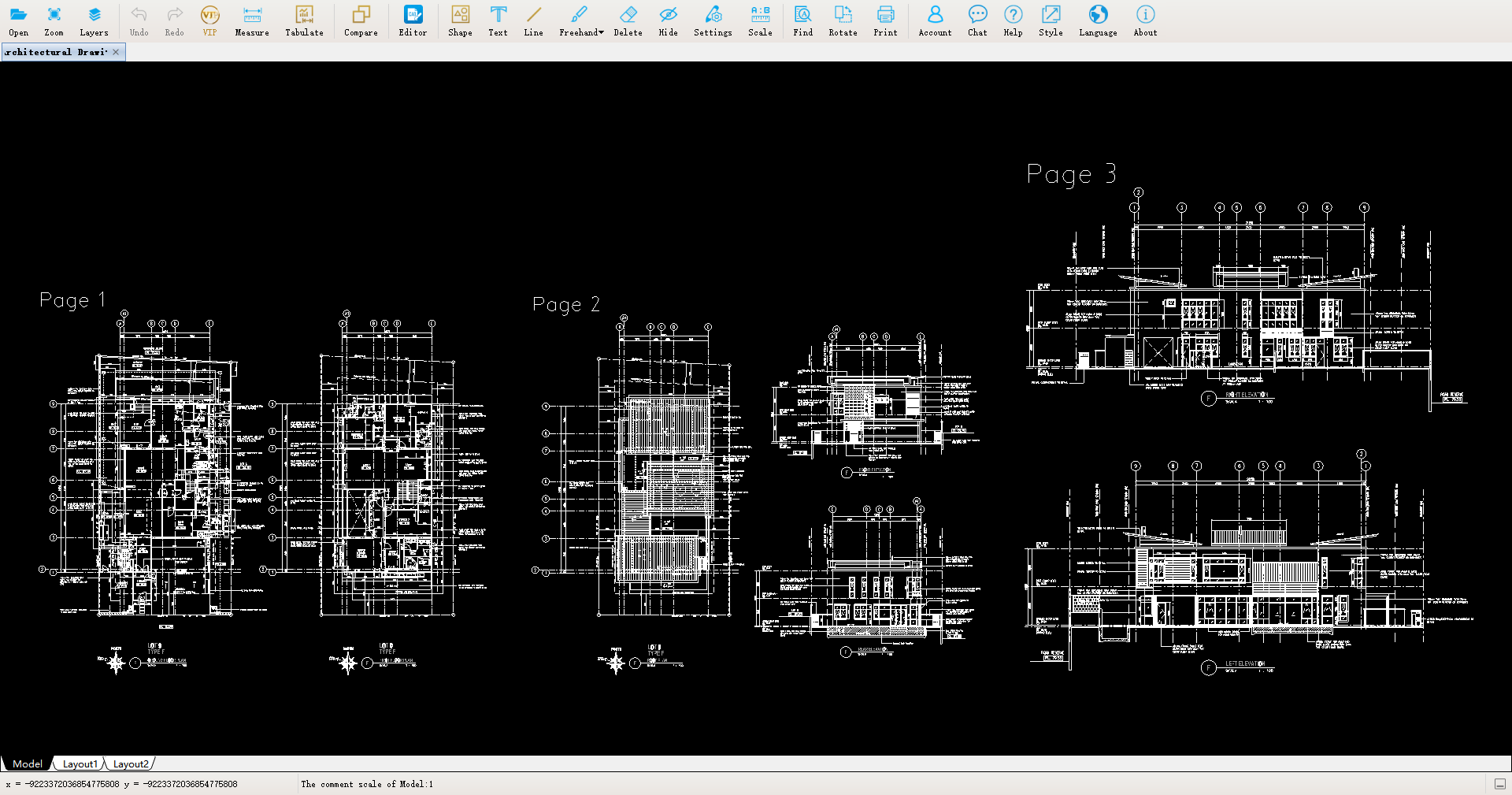
【Merge】: Combines multiple pages into a single DWG file, perfectly recreating the original drawing set. This is highly efficient for submission processes requiring a single, consolidated file.
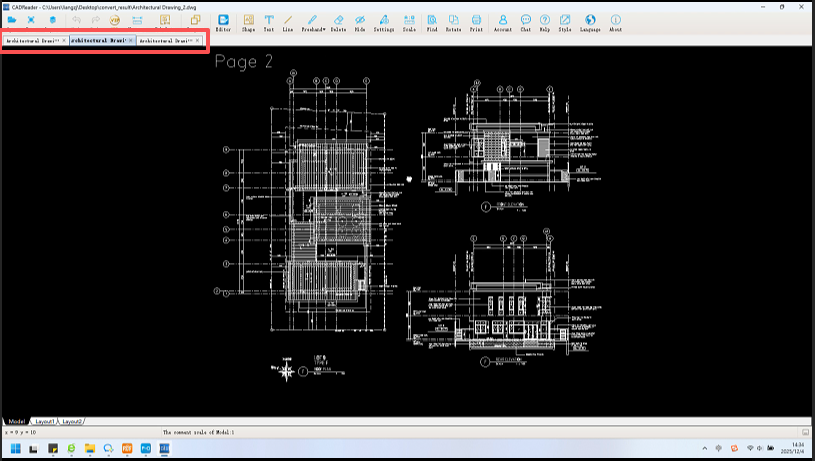
Execute the conversion. Click【Convert】. Within moments, a complete, fully editable CAD file is generated.
#planform #AIpower #ConstructionSoftware #ConstructionTech #PlanForm #BluebeamAlternative #ProductivityTools #pdftodwg #pdftocad #pdftoautocad


