How to use AI to translate PDF drawing
Contact Us:
- Email: planformservice@gmail.com
- WhatsApp: https://wa.me/60167402995

For global engineering teams, unprofessional translation goes far beyond mere communication barriers, it directly leads to project delays, cost overruns, and significant business risks. When you need to review or process technical documents from non-English speaking regions, traditional translation methods are costly and time-consuming. This is especially critical when projects fail to move forward as planned, resulting in complete loss of substantial upfront translation investments.
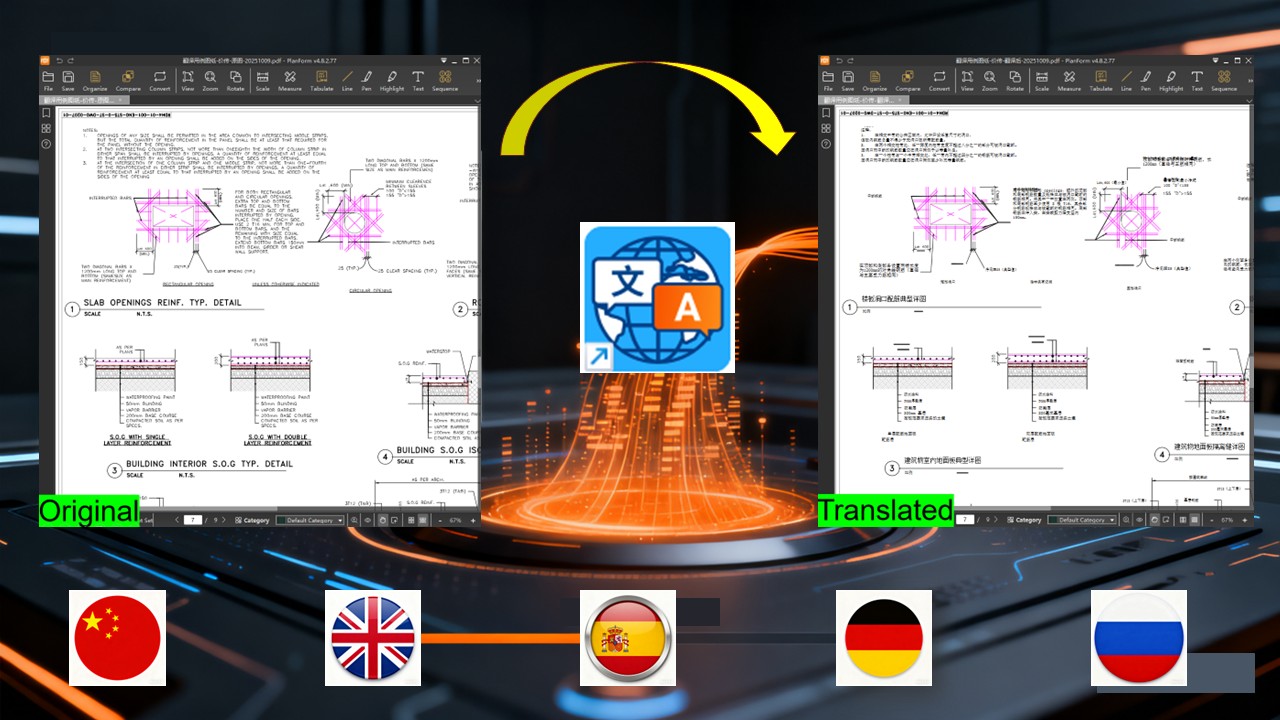
PlanForm's "Auto-Translate" feature is the professional solution designed specifically to tackle these challenges. Let’s take Japanese and Thai drawings as examples to see how it works. The operation is extremely simple: open the software, select the PDF drawings or technical documents you need to translate, and the entire process is completed locally on your computer, no sensitive data is uploaded, fundamentally ensuring the security of your project information.
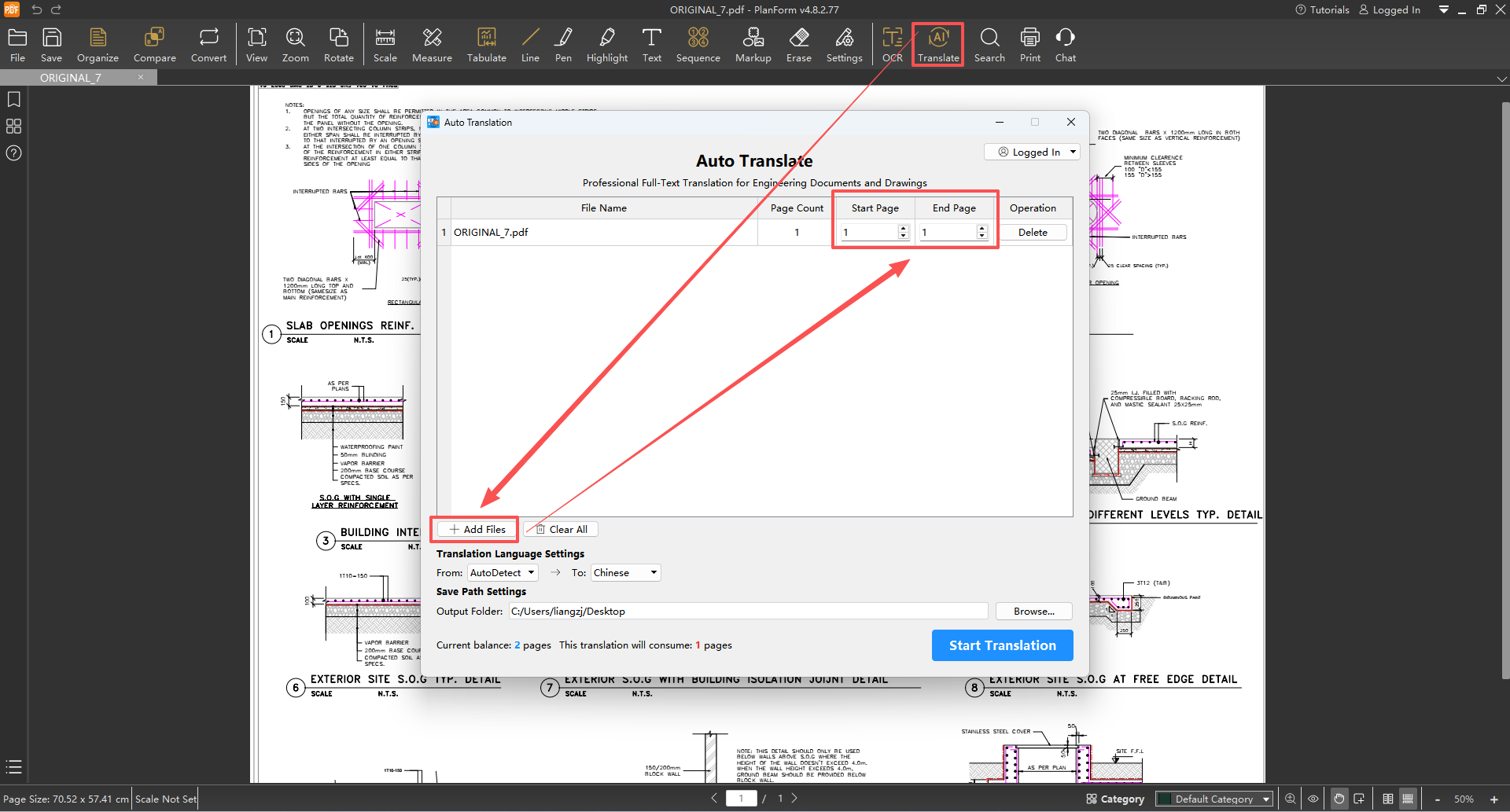
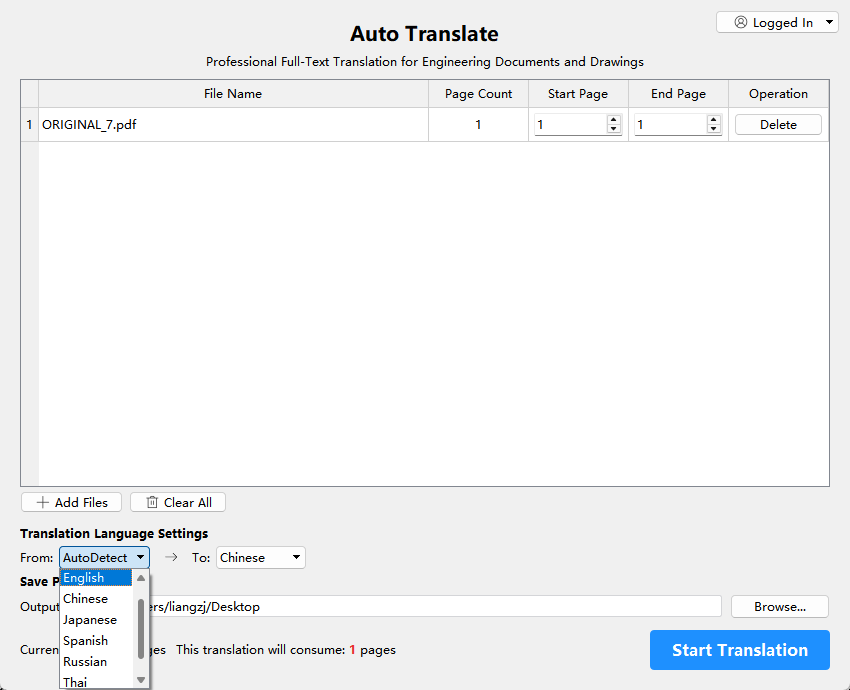
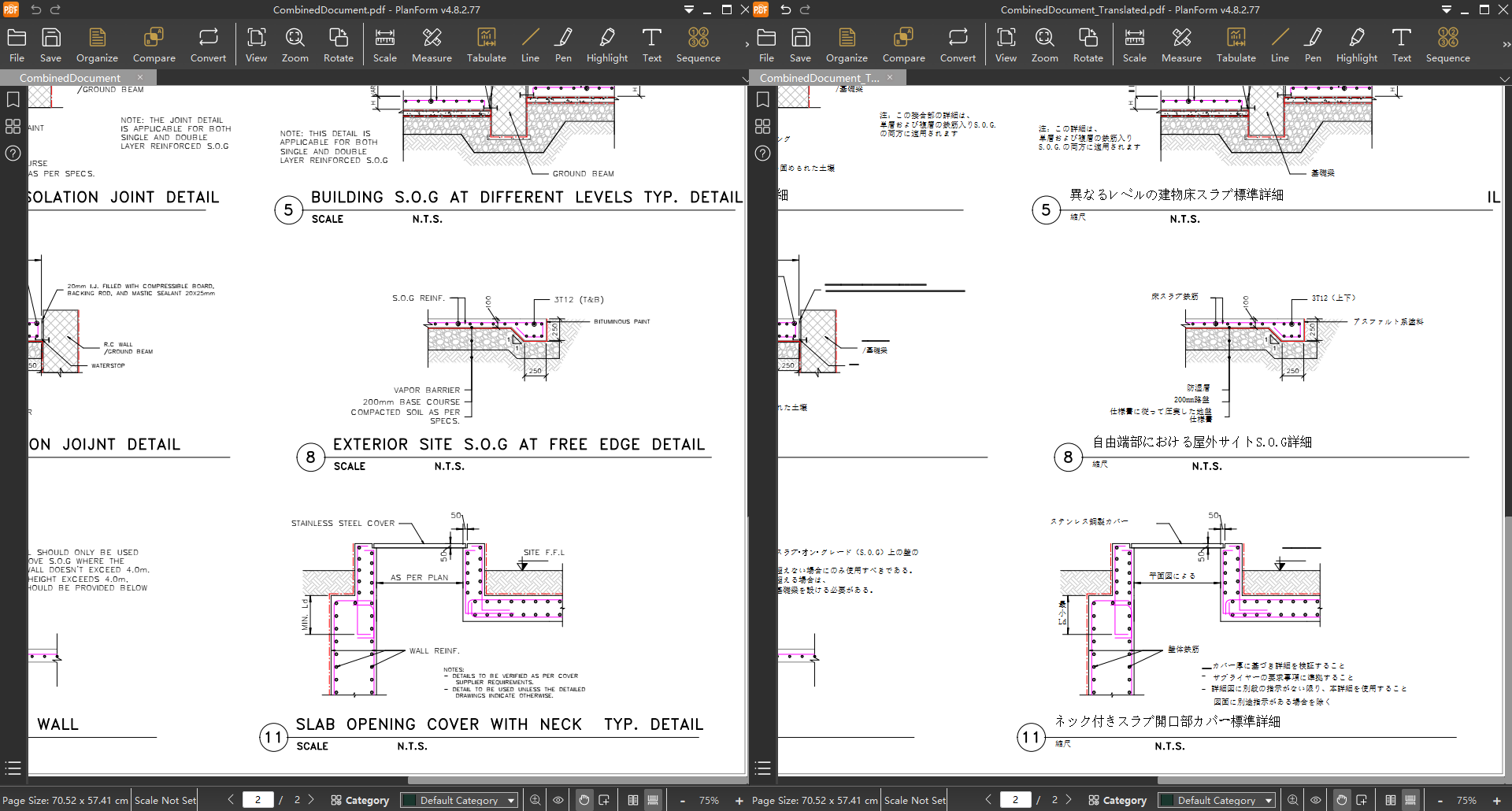
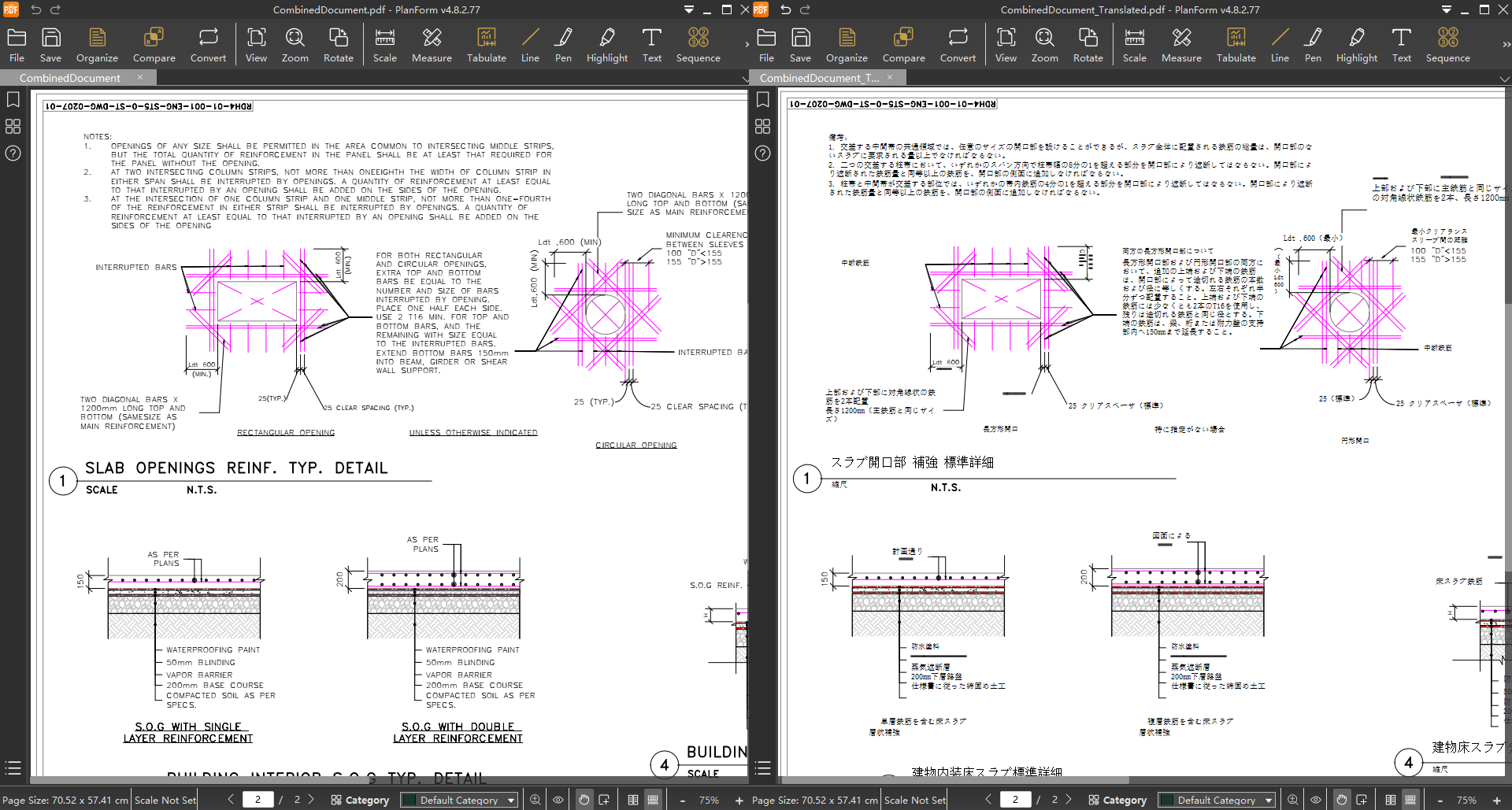
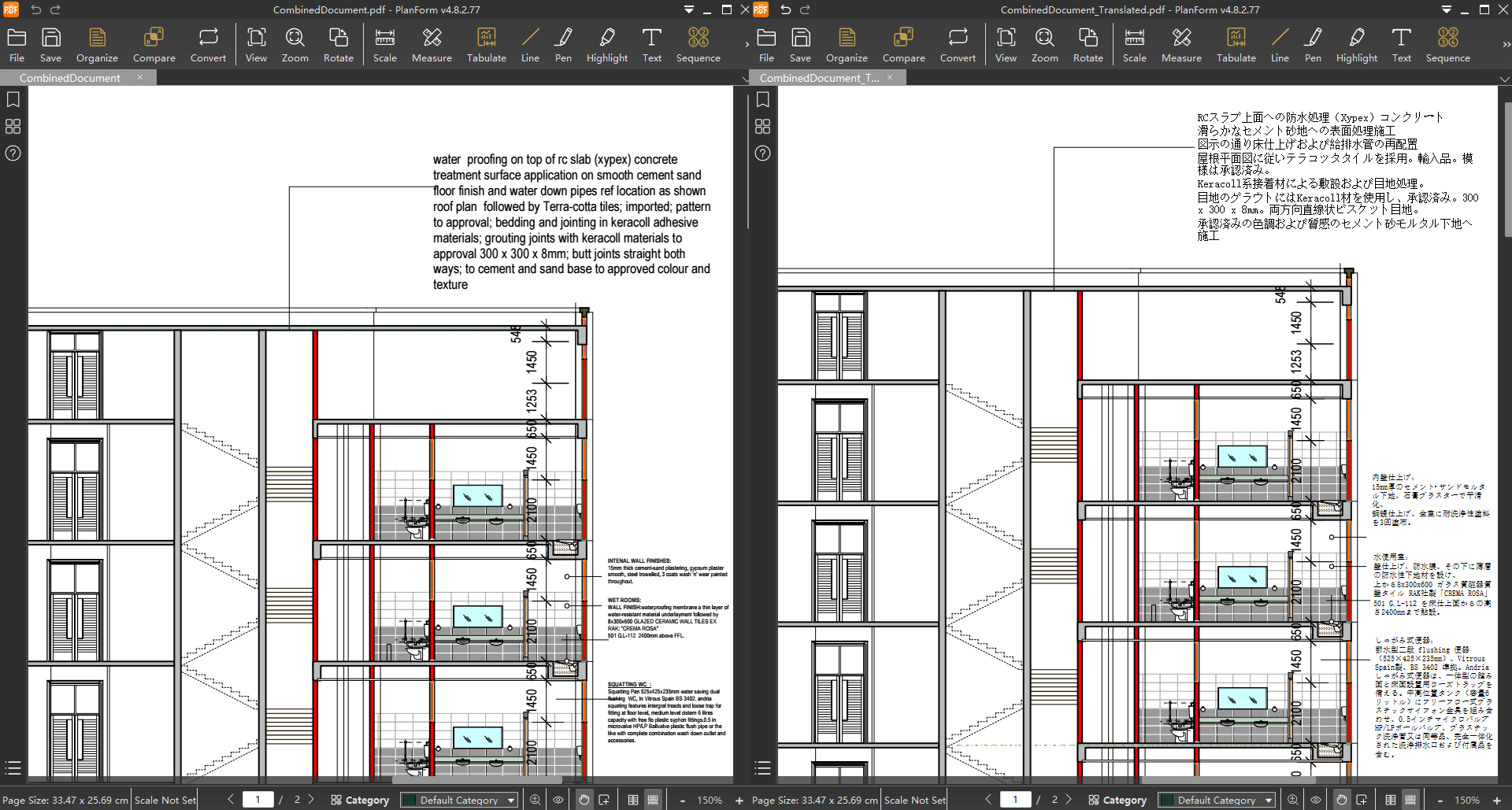
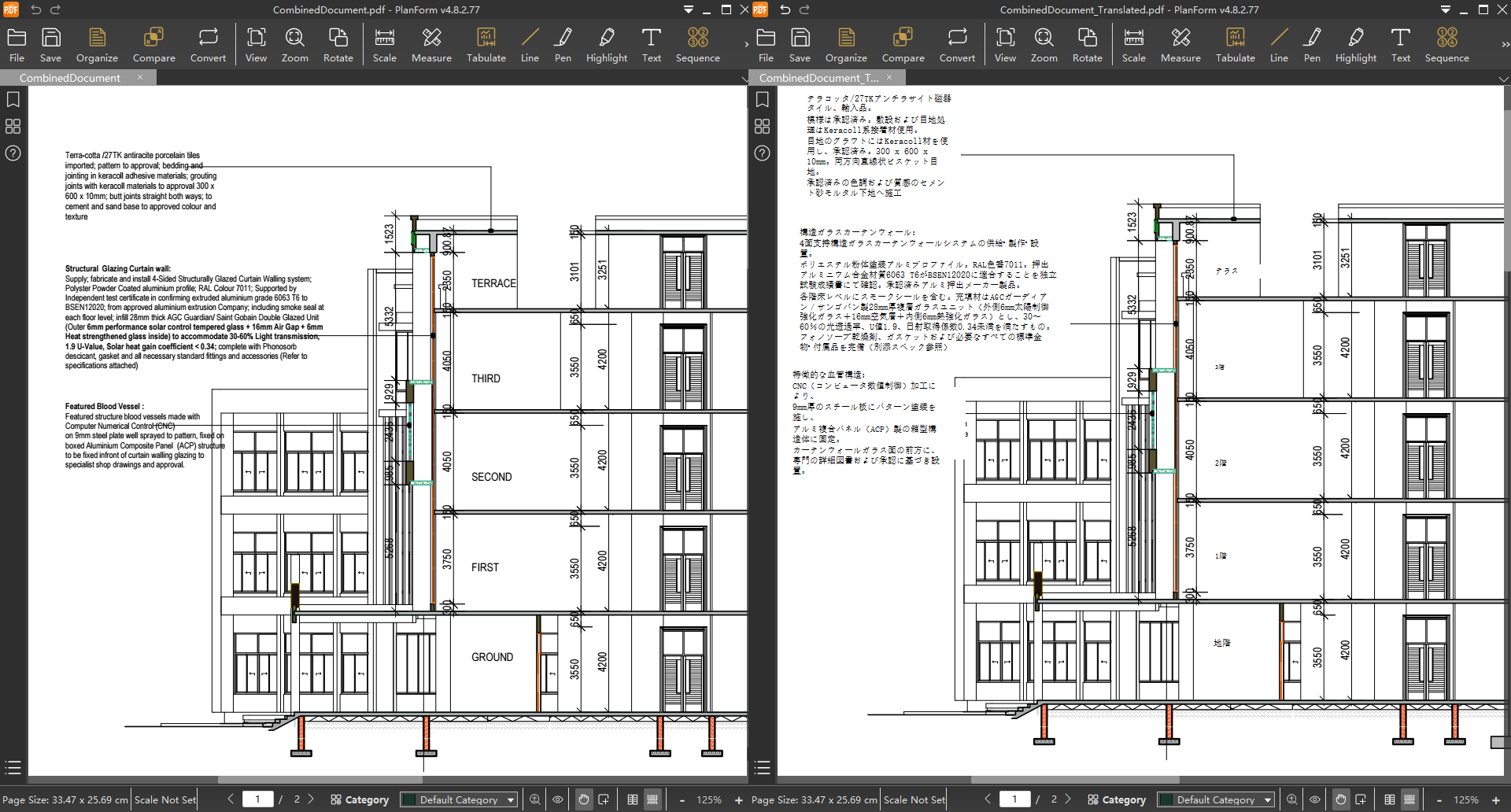
The built-in engineering translation model accurately handles complex terms such as "Gypsum board ceiling" and "Autoclaved Lightweight Concrete Block" ensuring reliable and precise translation results. The system supports over 20 languages, effortlessly meeting various less-common language needs.

A hundred-page drawings can be translated in as little as 10 minutes, while even thousands of drawings can be processed with a single click using the batch function. All tasks run seamlessly in the background without interrupting your normal workflow.

Most notably, it perfectly preserves the original pdf’s layout including the positioning of text, tables, and graphics and supports side-by-side comparison between the source and translated text, making verification and necessary manual adjustments straightforward.
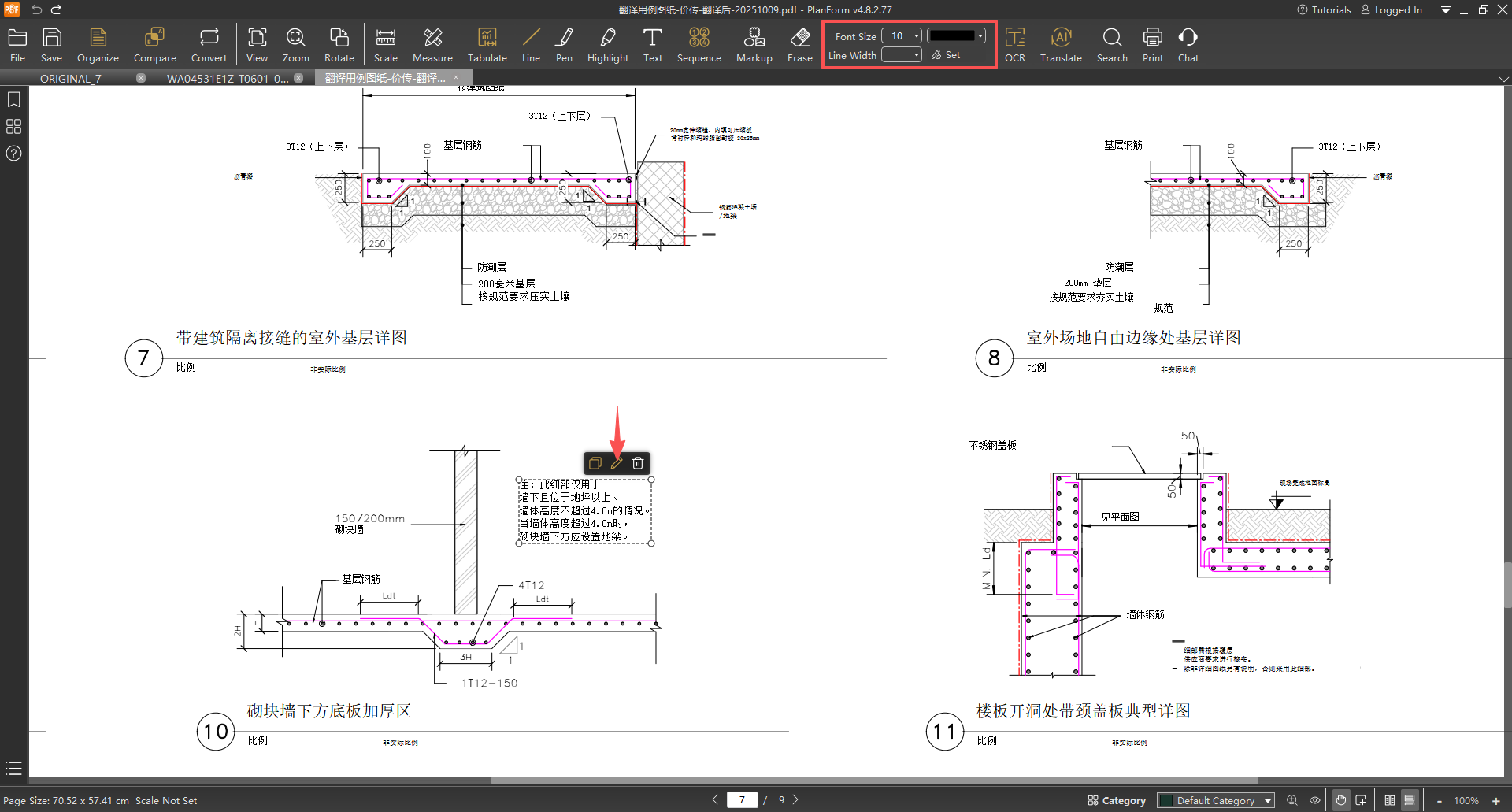
PlanForm Auto-Translate truly acts like a personal translation assistant for international engineering professionals. Don’t wait, try it now!

Contact Us:
- Email: planformservice@gmail.com
- WhatsApp: https://wa.me/60167402995


