Solving the Challenge of Rendering Heavy PDF Drawings on iPhone and iPAD
Opening large and heavy PDF files on an iPhone or iPAD through WhatsApp can be frustrating. The default PDF viewer often struggles with rendering speed, especially when handling heavy construction drawings converted directly from complex models. Planform is specially built to address this challenge, enabling fast viewing, markup, and measurement on PDF construction drawings across both mobile devices and desktops.
Step-by-step guide:
1. Download Planform from the Apple Store on your mobile device.
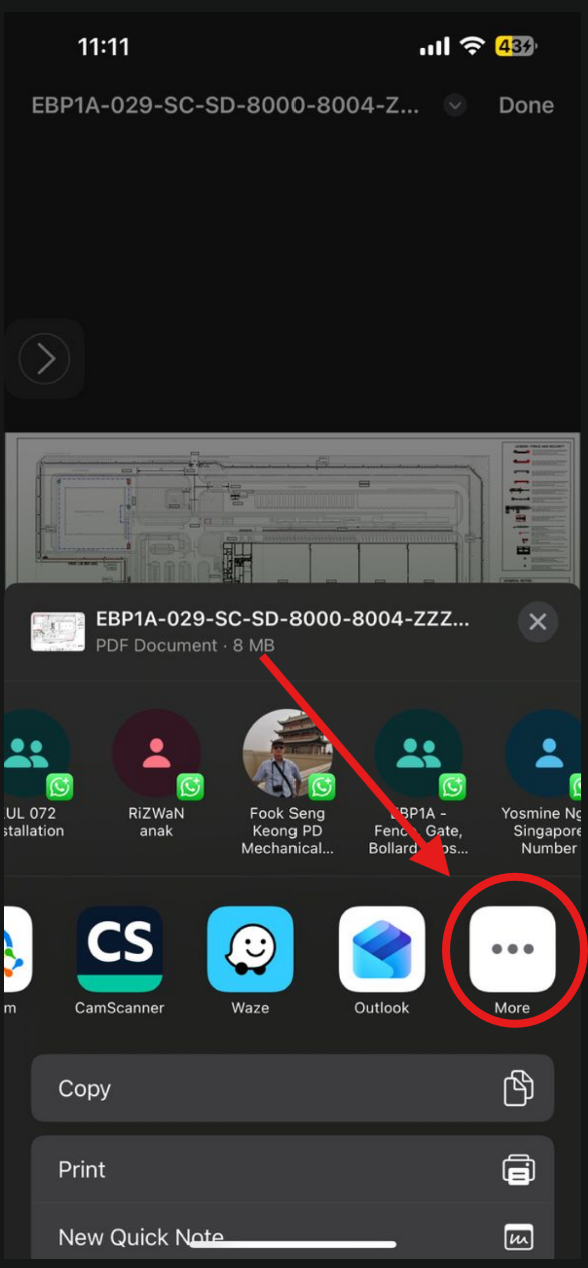
2. Tap the 'Share via' button located at the bottom left corner.

3. Select 'More' from the options.
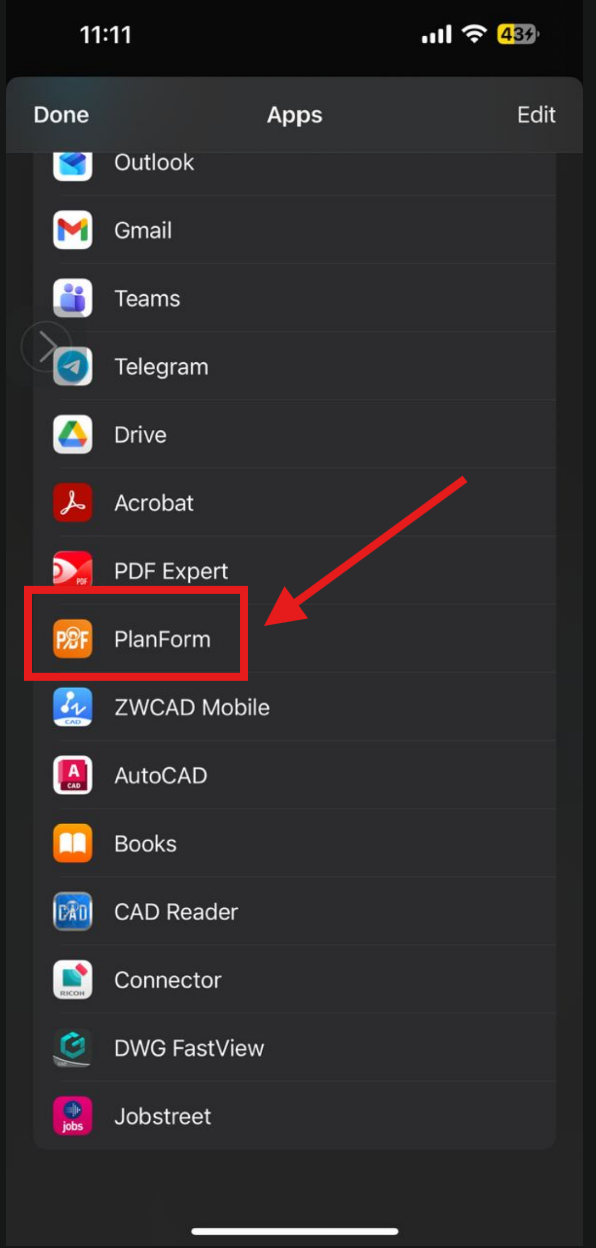
4. Choose Planform to launch the drawing.
5. Scroll and zoom through the drawing, Planform renders it smoothly for easy viewing.

0 answers

