From Complicated Markups to a Clear Overview: Generate a Smart Legend in 3 Steps.
A legend displays all your measurement types in a clear, graphic table making your measurement results instantly understandable. This intuitive quantity takeoff tool lets estimators, contractors, and engineers see unit totals and costs directly on the drawings. With PlanForm, generating a legend is very simple. In just three steps, you can complete your takeoff and have a professional legend.
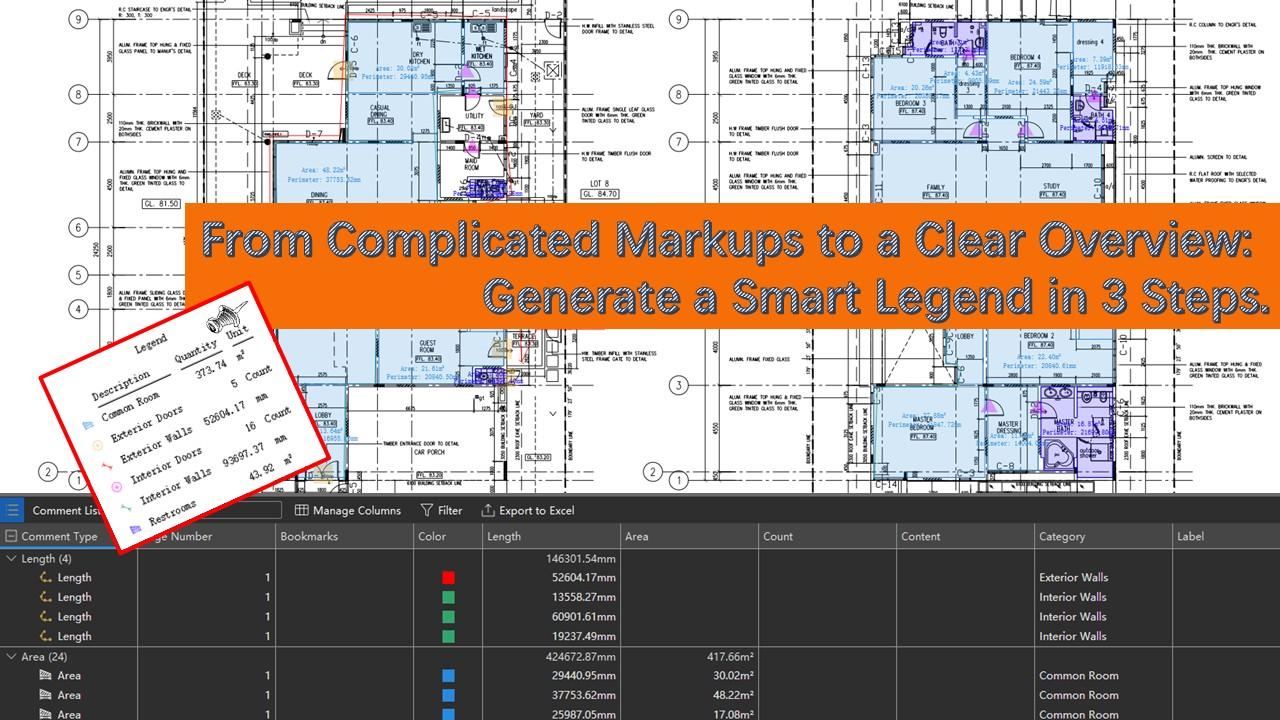
Let's take a construction project as an example
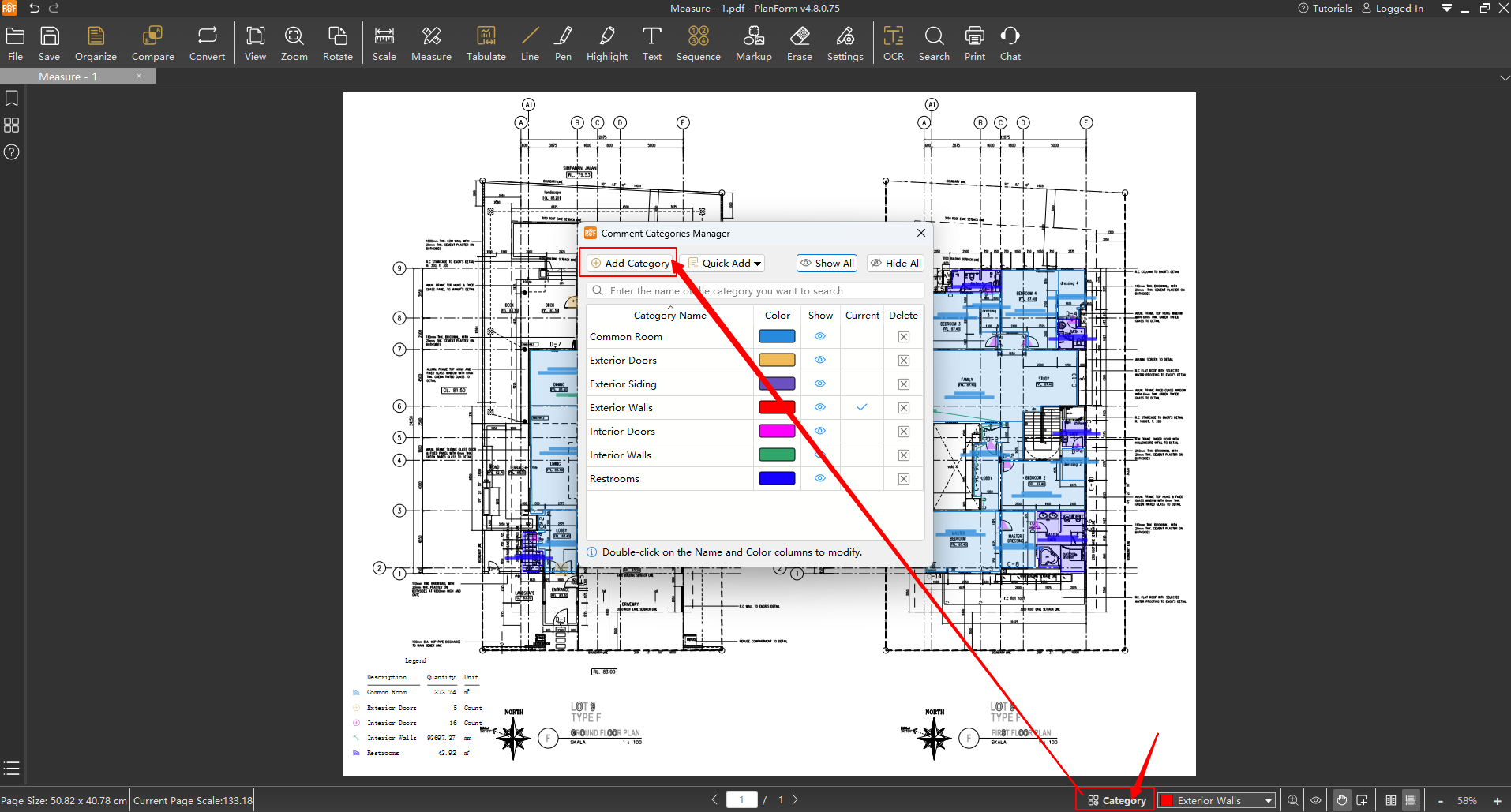
Step 1: Create the Categories
Establish clear categories based on quantity types (e.g., Exterior Doors, Interior Doors,Exterior Walls). Assign a distinct color to each category for easy differentiation of measurement items later.
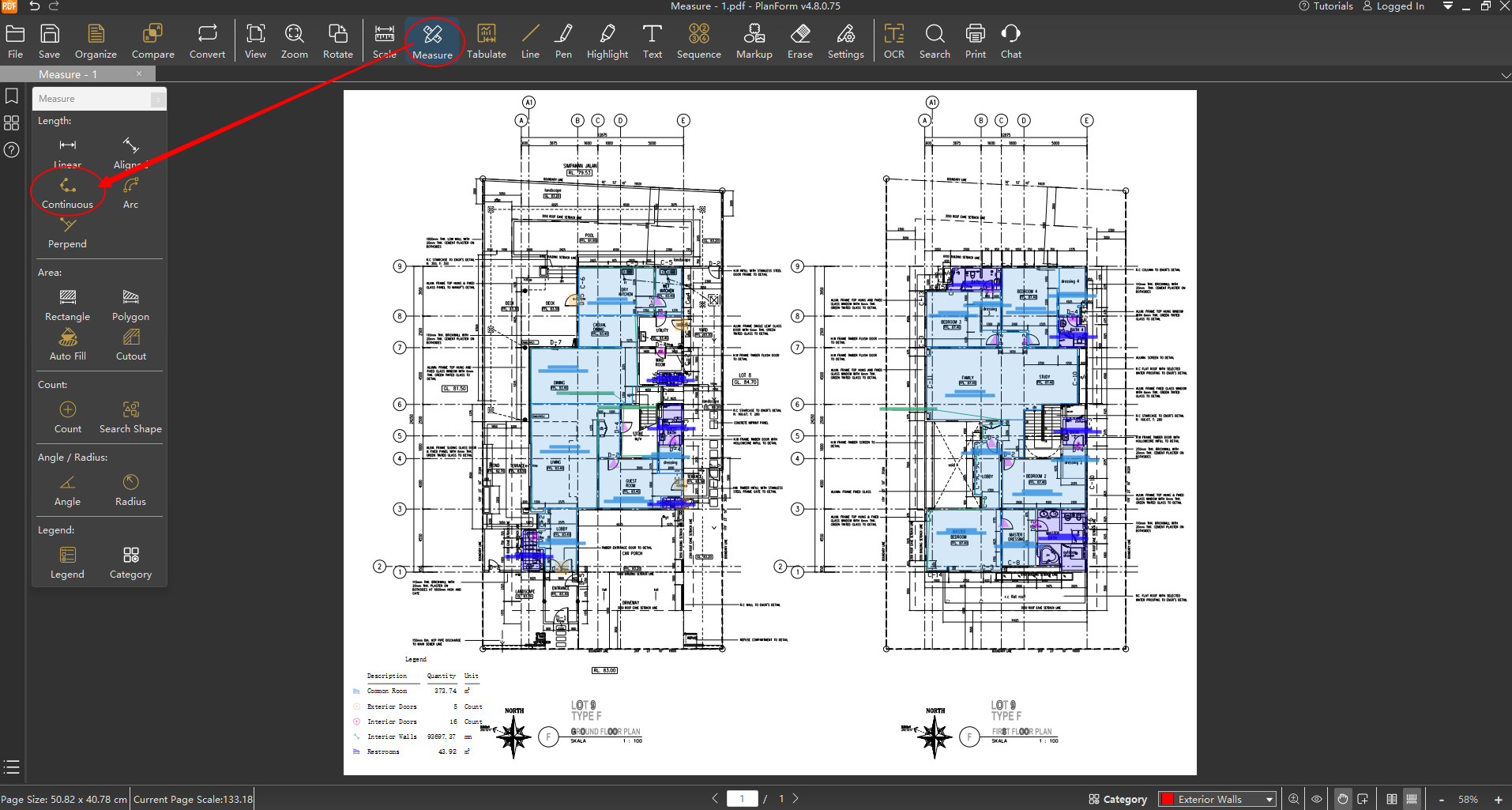
Step 2: Perform Measurements
First,use "Continuous" function to measure the length of exterior walls. Similarly, measure the lengths of interior walls.
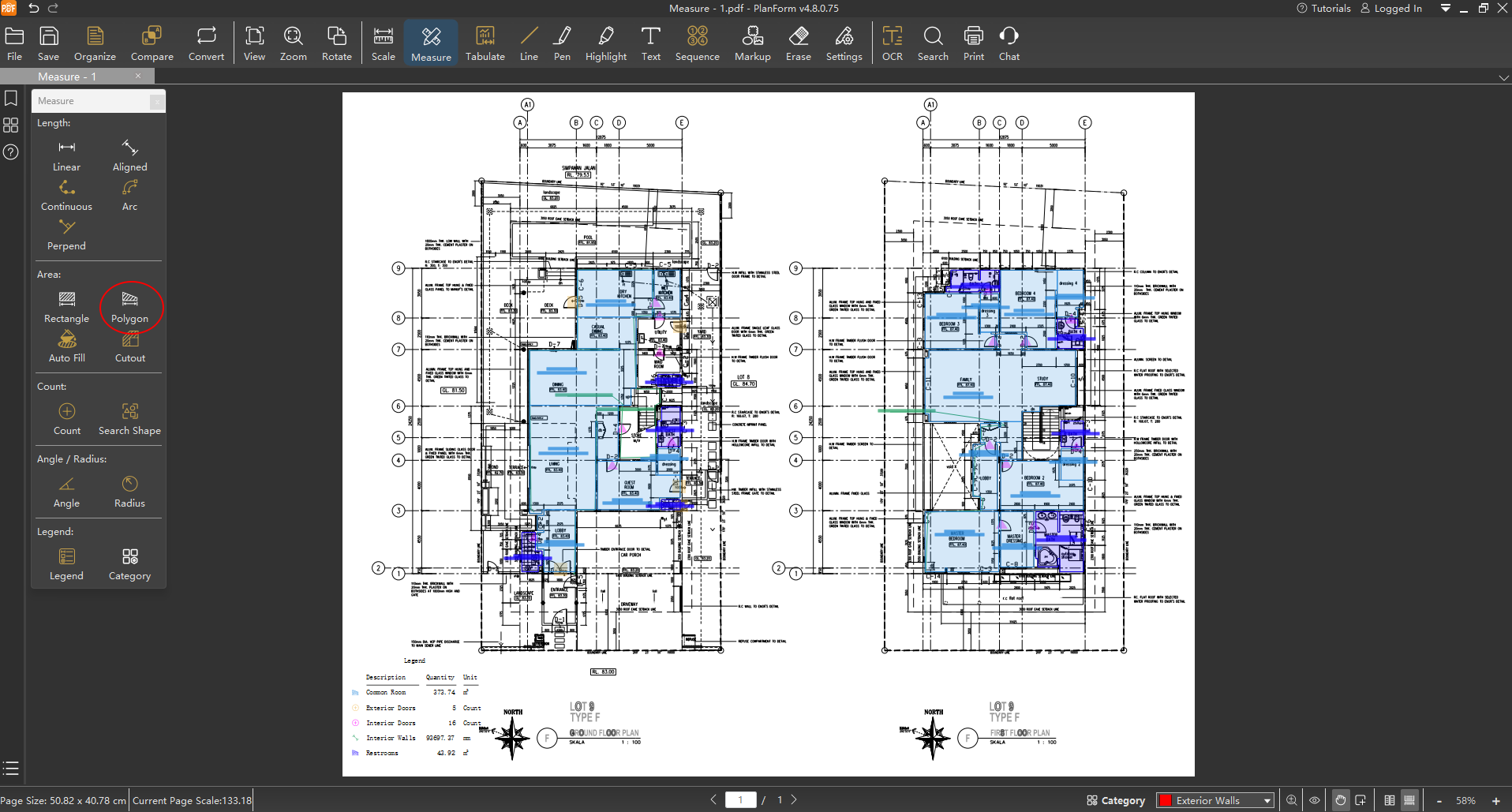
Next, use "Polygon" function to measure the area of Restrooms. Similarly, measure the area of Common Room.
At last,use the "Count" function to quickly tally the number of interior doors. Apply the same method to count other similar items.
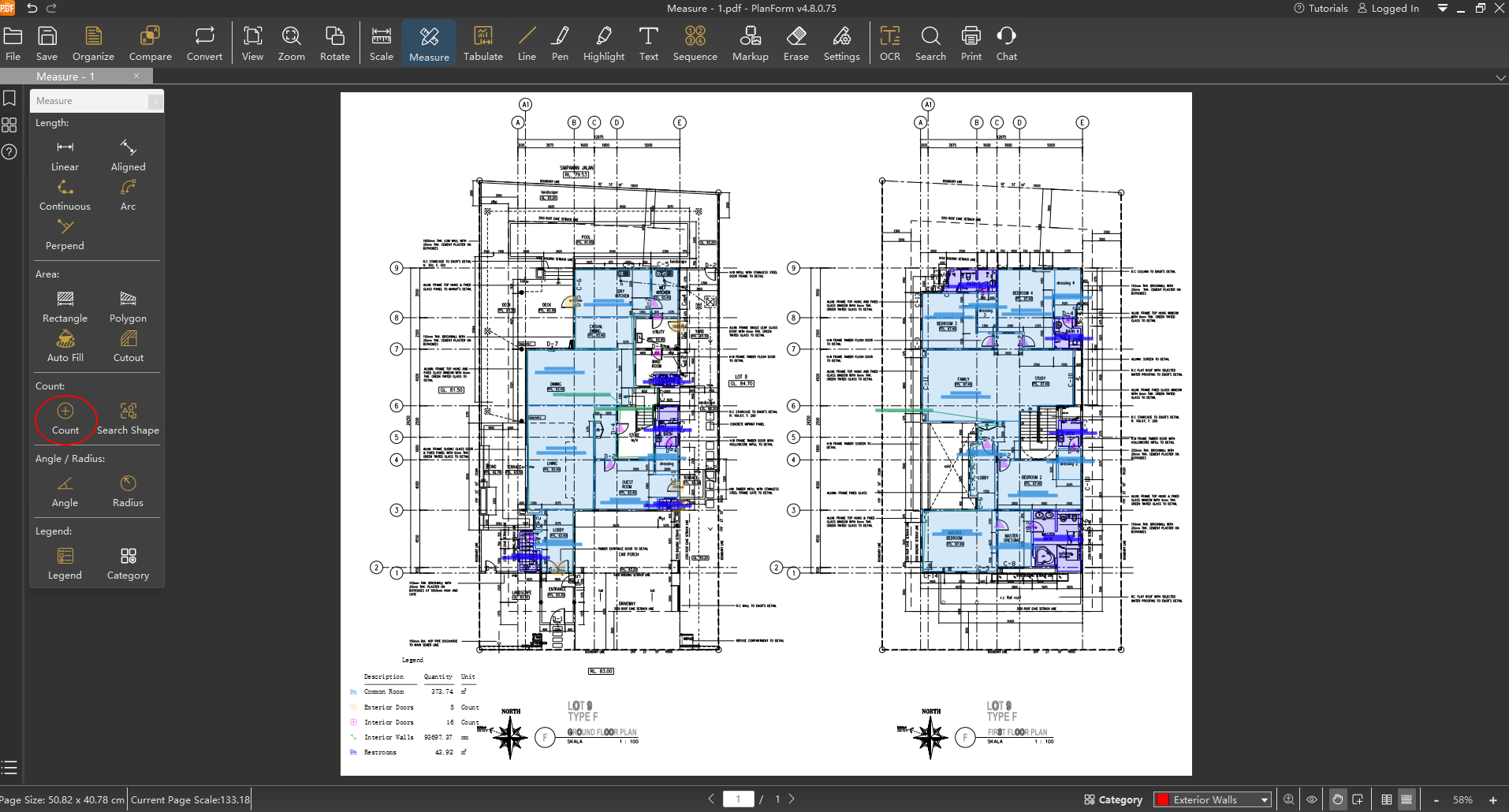
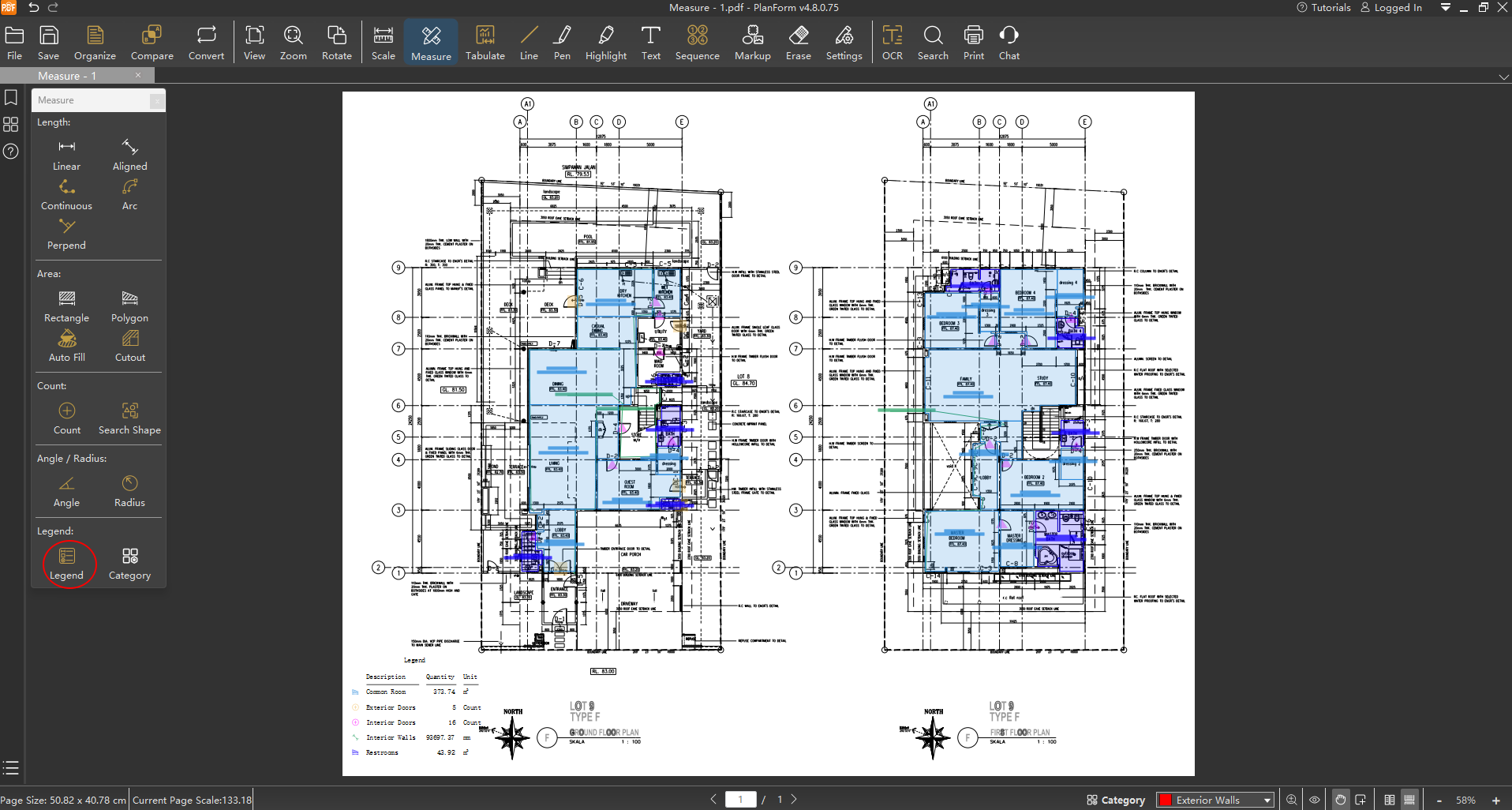
Step 3: Generate a Professional Legend
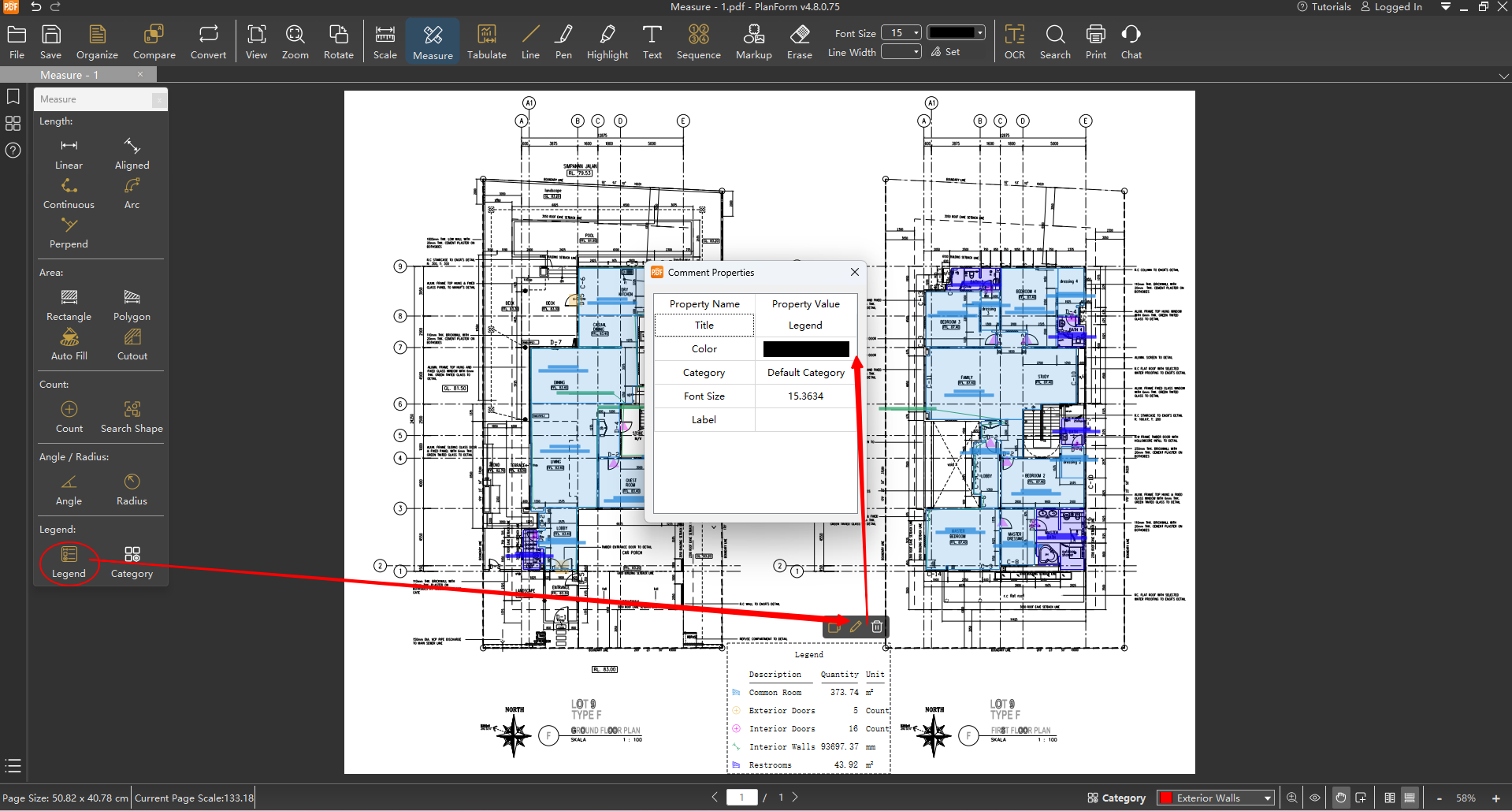
Click the "Legend" function and place the dynamic legend in a suitable location on the drawing. The legend will automatically display the page's statistical results using: Item Icons in presetted Colors, Description, Total Quantities, and Units. You can resize the legend by dragging. Even more powerful: you can freely modify the legend's title and text color to make reports meet your requirements. Most importantly, the legend updates in real-time with any measurement change!
Experience PlanForm now – where every piece of data creates value, and your measurement results speak with professionalism!


